 Main Menu | Reporting | My Reports
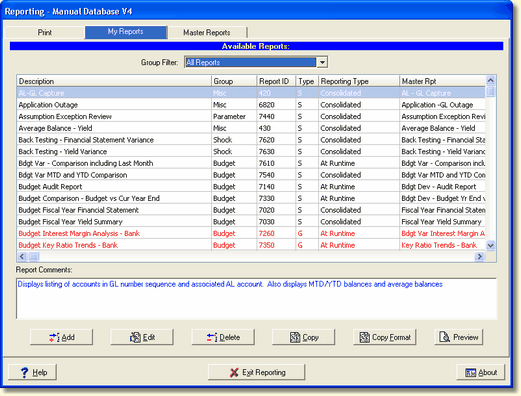
Even though the system will have a single copy of each possible report set up, you may choose to create multiple versions of the same type of report with different printing options, such as the amount of detail accounts to print.
To create a new report, click the ADD button at the bottom of the screen.
The New Report screen is displayed:
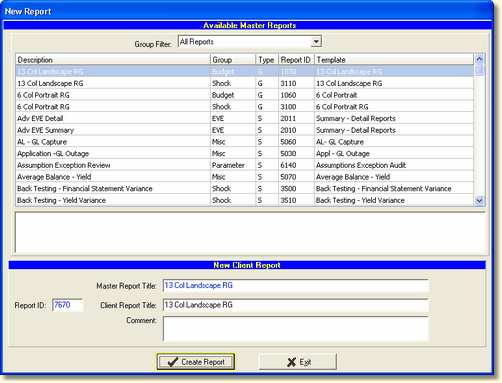
All reports are based upon a master report that defines the layout of the report. To create a new report, you must select the master report upon which the report will be based from the available master reports.
Master Reports
Pre-defined reports - IRR-Solutions® II comes configured with an array of pre-defined reports. They are labeled with a "S" for Standard reports in the Type column under the My Reports tab.
Report Generator reports - If none of the standard reports fit your needs, you can design a custom report. These custom reports will be labeled with a "G" for Generator reports in the Type column under the Master Reports and My Reports tabs.
All report generator reports are based upon two default templates that define the basic layout and amount of possible information shown on the report for the Shock and Budget modules.
6 Col Portrait report (Shock & Budget)
This report template provides report generator reports in portrait mode with a maximum of six columns across the report.
13 Col Landscape report (Shock & Budget)
This report template provides report generator reports in landscape mode with a maximum of 13 columns across the report.
The Find Report feature is available in this tab, see Selecting Reports in the Reporting Interface chapter.
Parameter setup for standard reports
If the selected master report represented a standard, pre-defined report, go to the Standard Report Parameters topic for information on how to change the New/Edit Report dialog box, select the new report you created and Edit the setting in the New/Edit Report dialog box. Depending upon the selected master report, a different number of parameter selections may be enabled.
Report Generator reports
See Report Design/Overview for detailed information on creating a Report Generator report.