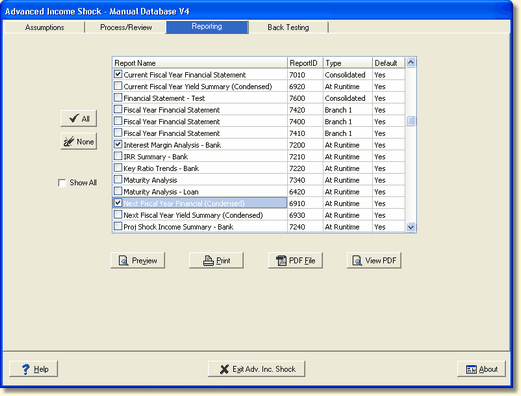
There are options to display and view your reports. You can display all the My Reports available from the Reporting Module or just the ones you want to see. You can select to preview just one report or many reports.
Viewing Options
All - The ALL button, when pressed, will place a check mark next to all the reports displayed in the Report Name box. You can also select a single report by clicking on the report name.
None - The None button, when pressed, will deselect all the reports that are checked. You can also deselect a single report by clicking on the report name.
Default column - You have the ability to select certain reports to be displayed by default on this screen. If you are not using all the reports available to you, you can change the Default to "No" to not display the report. Change the Default to "Yes" if you want to see the reports displayed on this screen. Valid options for this column are "Yes" or "No."
Show All - When this box is checked, the system will display all the available reports regardless of what option is selected in the Default column.
Find Reports (By Description)
This tool will help you quickly find a specific report. This allows you to find a report on the reporting tabs in the various modules by matching any part of the report description.
On any tab that lists reports, right click on the list of reports. You will see the option, Find Report, on the popup menu as shown below.
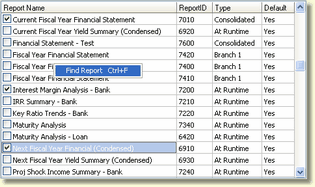
Select Find Report, and the Find Report screen will appear below.
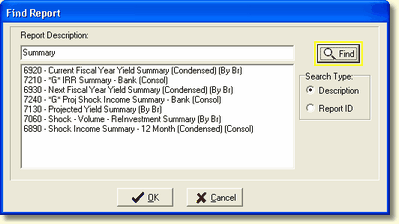
Report Description - You can search by report description or report ID. Type in the search type you want to match and click the Find button. Reports on the tab matching the search type will appear below the Report Description. Selecting a report from the listing and clicking the OK button will mark the report for selection.
You may notice in front of the report descriptions will be a number and in some cases the letter "G".
6920 - This number represents the report ID.
"G" - The bank's Custom Report Generator reports.
Reports not preceded by a "G" are the banks standard reports.
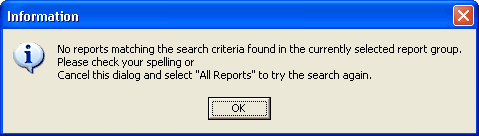
If the Find Report feature does not find the report entered, the following error box is displayed.