We are ready to define the data contained in the cell.
 Main Menu | Reporting | My Reports (select report) | Add button | Data Definition
After the Cell Definition has been set up, we will need to complete the Data Definition tab. This tab contains the components that make up the cell, the components that make up a calculation, ranges, and constants. Each component with a red question mark will need to be identified on this screen.
We will need to determine the following data for each account range:
| 1. | Source |
| 2. | Type |
| 3. | Scenario (projection scenarios). If Source type of Budget is selected, scenario selection is not available. |
| 4. | Period |
| 5. | Annualize |
See Data Definition for an explanation of each specific option.
We will select the first component with a red question mark, which is Total Loans. For Total Loans we select the Range Settings as shown in the screen below:
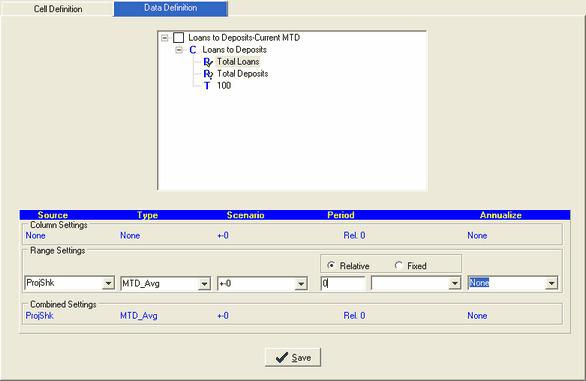
We selected Total Deposits and set it up the same way and pressed SAVE. The two range components now have a green check mark next to them. The "100" constant does not require further input.
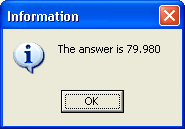
We can now go back to the Cell Definition and test our cell results. When the Test button is pressed, an information dialog box will be displayed with the results of the calculation set up in the cell as shown below: