After you have entered your user name and password, the Select Institution screen will be displayed.
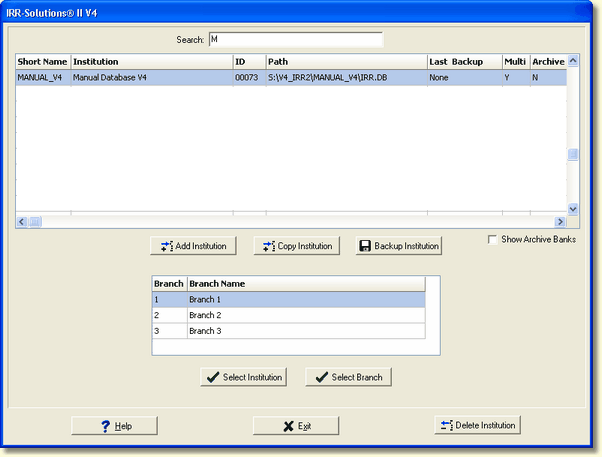
If the institution is setup to support branch operation, the bottom grid will list the available branches, otherwise, the branch grid is disabled along with the Select Branch button.
To select an institution, highlight it by clicking on the appropriate row in the Institution grid and pressing the Select Institution button. To speed up the selection and bypass the Select Institution button, you can also double-click on the appropriate row in the Institution listing.
To select a branch, you may highlight it by clicking on the appropriate row in the branch grid and pressing the Select Branch button. To speed up the selection and bypass the Select Branch button, you can also double-click on the appropriate row in the branch listing.
See the Institution vs. Branch operation topic for more details.