The Reporting Interface is shared with Advance Income Shock, Budgeting, and Advance EVE. The access paths are listed below:
 Main Menu | Adv. Income Shock | Reporting
Main Menu | Budgeting | Reporting
Main Menu | Advanced EVE | Reporting
The Report section provides a common interface for previewing, printing or exporting reports. The list of reports shown are specific to the particular module.
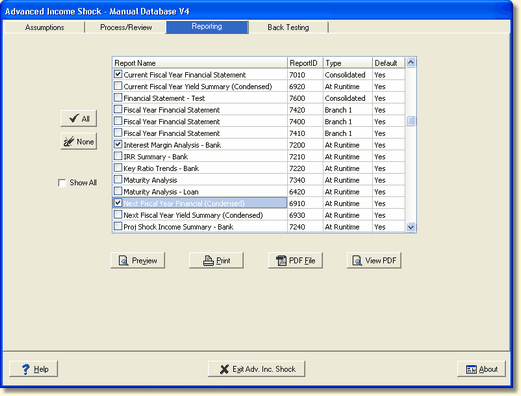
Viewing Options
You can select the reports to be previewed, printed,or exported. You can also select which reports are displayed by default.
Output Options
Preview - This selection will present the selected report(s) on the screen. The report can still be printed from inside the preview screen if desired.
Print - This selection will print the selected report(s) to the chosen printer.
PDF File - This selection will produce a Adobe® PDF file in a directory below the database directory. This allows for archiving of the reports in electronic format.
View PDF - This option will display the report in PDF format.