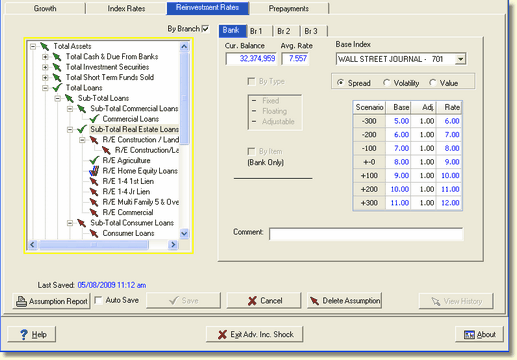
To return an account back to the inheritance method of receiving its assumption from the accounts above, any previously entered assumptions must be deleted and the assumption on the account above it resaved. It is not enough to set the assumption equal to that of the account above. Only when an account or account type shows the Red up arrow icon will it use the inheritance concept of assumptions.
In the example below, if you want the R/E Commercial account to inherit the assumption from the Sub-Total Real Estate Loans account you must follow the steps below:
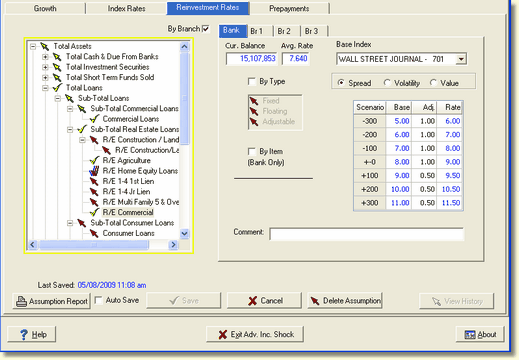
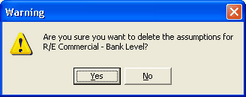
The Delete Assumption button will delete any previously entered assumption. Once the Delete Assumption button is selected, the following warning box is displayed:
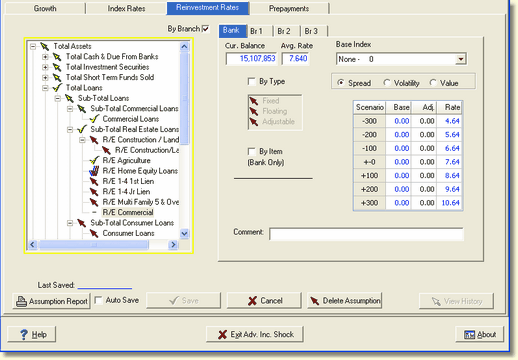
If "yes" is selected, the account is displayed with no assumptions as indicated with a dash next to the account description as shown below. But at this point the R/E Commercial account is not inheriting the assumptions from the subtotal above it.
As stated in the first paragraph of this topic, in order for the account to assume the inheritance from the account above it, you must re-save the assumption on Sub-Total Real Estate Loans in the example above.
Click on Sub-Total Real Estate Loans account, click on the first Adj. column, enter the same adjustment and save.
When the save button is pressed the following screen will be displayed:
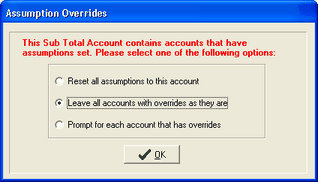
Select Leave all accounts with overrides as they are and press OK. This will insert a Red up arrow next to the R/E Commercial account and the account will receive the inheritance from the account above it, as shown below.