The system provides tools to help you analyze the information in an account to aid you in making your assumptions.
View Account Summary Info
This feature appears in the following module locations by right clicking on the account or in the grid:
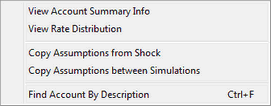
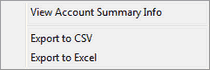
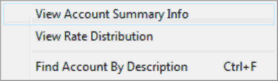
Depending on what module you are in, when you right click on a selected account in the account tree, the following pop-up menu appears, with option to View Account Summary Info.
Advanced Income Shock
Reinvestment Rates |
Prepayments |
Process/Review, View Detail |
|
|
|
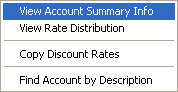
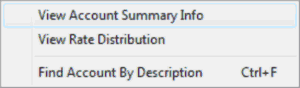
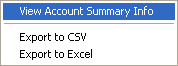
Budgeting
Reinvestment Rates |
Prepayments |
Process/Review, View Detail |
|
|
|
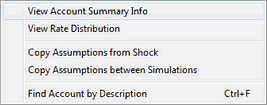
Advanced EVE
Discount Rates |
Prepayments |
Process/Review, View Detail |
|
|
|
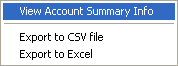
Selecting the option View Account Summary Info will bring up the following dialog.
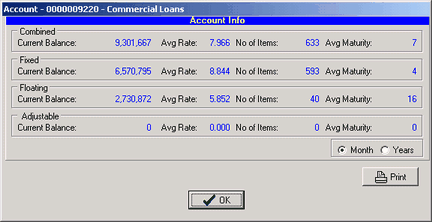
This window shows us the current balance, average rate, number of items, and average maturity in month or years for the total combined account, as well as a breakout of that same information for fixed, floating, and adjustable types of instruments that make up the combined total.
In this particular case, more than three-quarters of the loans are fixed rate and the rest are floating rate. (This account has no adjustable rate loans.) This information can be a useful aid in determining if an assumption at an account type level is warranted. This information may also be printed to the default printer.
View Rate Distribution
This feature only appears in the following module locations:
Advanced Income Shock/Reinvestment Rates
Budgeting/Reinvestment Rates
Advanced Economic Value of Equity/Discount Rates
Selecting the View Rate Distribution option will bring up the following display.
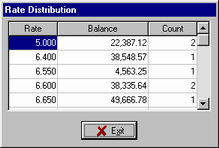
Here the system groups all items by their rate, sums the balances, and counts number of items at the displayed rate. This can be used to analyze your current rate distribution in the selected account.
Copy Reinvestment Rates
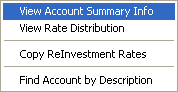
Since many of the rate assumptions applied in the Reinvestment rate area of the Advanced Shock Income module can be applied to the Discount Rate area of the Advanced EVE, we have created a utility function that copies assumptions from the respective area displayed on the popup menu.
When this pop-up is accessed in the Advanced EVE section, it will read Copy Reinvestment Rates. This option takes assumptions in the Reinvestment tab in the Advanced Shock Income and copies to the Discount tab in the Advanced EVE.
It does not delete additional Discount assumptions you might already have. It only overwrites accounts with Reinvestment assumptions. You will need to review to determine if the additional Discount assumptions are still valid.
Copy Discount Rates
When accessed from the Reinvestment rate tab in the Advanced Income Shock module, it will read Copy Discount Rates. This option takes assumptions in the Discount tab in the Advanced EVE and copies to the Reinvestment tab in the Advanced Shock Income.
It does not delete additional Reinvestment assumptions you might already have. It only overwrites accounts with Discount assumptions. You will need to review to determine if the additional Reinvestment assumptions are still valid.
Following is a graphical example of the copy functions above.
When Copying:
Source |
Target |
|
Assumptions Exist |
Assumptions Exist |
Results |
yes |
yes |
Source Assumptions will replace the Target Assumptions |
yes |
no |
Source Assumptions will copy to the Target Assumptions |
no |
no |
Nothing happens |
no |
yes |
Target Assumptions remain the same |
Find Account By Description
See Target Balance Options in the Advanced Income Shock module for the Find Account details.