You will need to assign your account ranges for each range that makes up the report. To help you with this process, we have designed a Report Generator Account Range report which tells you the ranges that are contained within the report.
To print the Report Generator Account Range report, select the following path:
 Main Menu | Reporting | My Reports
Select the Report Generator report in the grid display and select Edit or double-click the report in the grid.
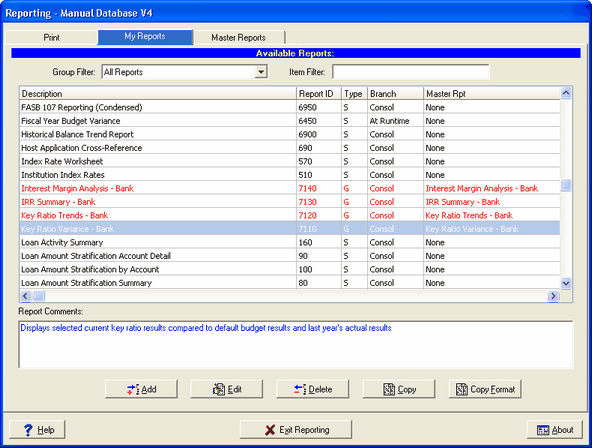
After you have selected Edit, the following screen will be displayed:
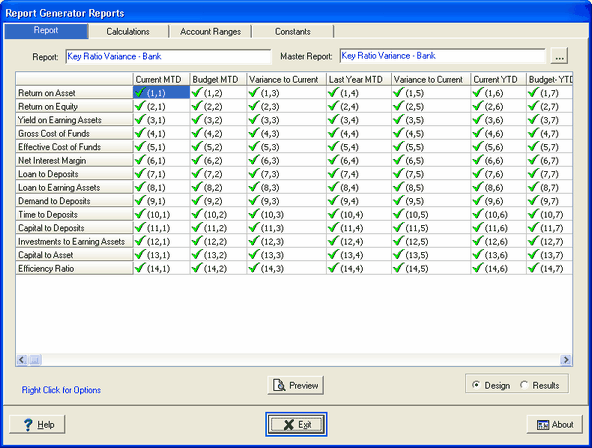
Right click anywhere on the report grid to access the report design pop-up menu as shown below:
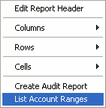
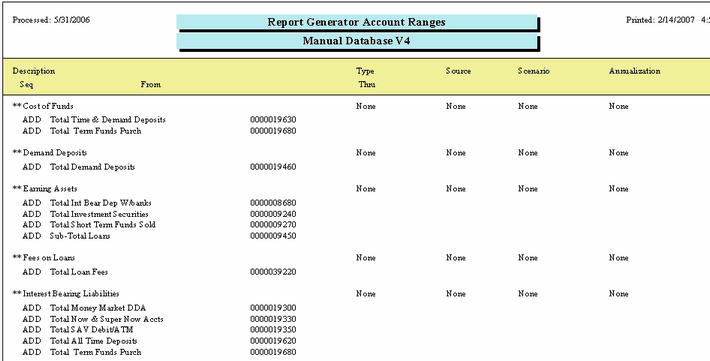
Select List Account Ranges and the report below will be displayed. The report lists all the account ranges that make up the report you selected.
The following data is contained in the listing:
| 1. | Description of Account Range and the associated General Ledger accounts. |
| 2. | The Source - Actual, Budget, and EVE |
| 3. | What Scenario is being used. |
| 4. | The Annualization method. |
Print the report and start assigning your GL accounts to each account range.
To assign your GL accounts to each account range, see Defining the Account Ranges for detailed information.