For our sample report, we will need to setup one constant to format the result properly.
 Main Menu | Reporting | My Reports (Select Report) | Edit button | Constants
After the above path has been selected, the following screen is displayed:
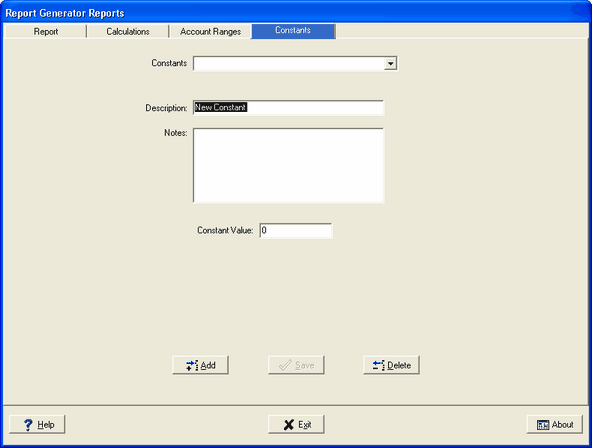
Since our Constant - "100" is not setup yet, we will need to set it up here.
Add button - To add a new constant press the Add button. Entering data into this screen before pressing the ADD button will result in an error message. You must press the ADD button before entering data.
Description: - Enter "100" so that the result of our ratio will be formatted properly-as a percentage.
Notes - Explain how the constant will be used.
Constant Value: - Enter the value, in this case it is "100".
Press Save. This concludes our constant setup.