The Growth tab allows the user to quickly and easily establish target balances for the balance sheet as well as enter balances for the non-interest income and expense accounts. Below is an explanation of how the system distributes balances.
Forward Distribution
The principal applied during the data entry is one of proportional distribution based upon an account's current balance.
Example:
Total Loans:
Current Balance |
= 50,000,000 |
|
First Period Target Balance |
= 55,000,000 |
5MM Growth in Period 1 |
The Total Loans account contains three subtotal accounts. The target balances will be distributed based upon the proportion of the account's current balances to the parent's account current balance.
Total Commercial Loans:
Current Balances |
= 30,000,000 |
|
First Period Target Balance |
= 33,000,000 |
30MM / 50MM * 5MM = 3MM |
Total Real Estate Loans:
Current Balances |
= 15,000,000 |
|
First Period Target Balance |
= 16,500,000 |
15MM / 50MM * 5MM = 1.5MM |
Total Agriculture Loans:
Current Balances |
= 5,000,000 |
|
First Period Target Balance |
= 5,500,000 |
5MM / 50MM * 5MM = .5MM |
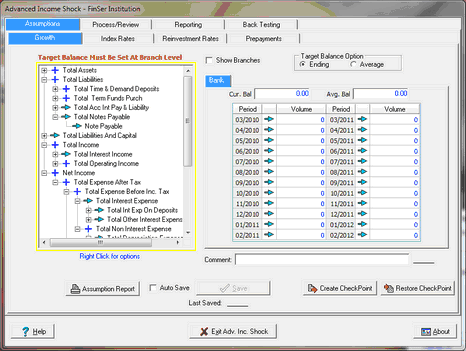
This process is repeated all the way through the account structure and for all periods that have been set with target balances. The account that was used to set the target balance is marked with the check mark icon  . This indicates that this account was the source of the target balance for all accounts below this account in the Chart of Accounts structure. All accounts that received a proportional distribution are marked with a red down arrow
  .
.
For models configured for branches, if all branches contain a zero balance, notification above the chart of accounts will say Target Balance Must Be Set At Branch Level. The user must enable Show Branches and set growth assumptions at the branch level since the system will not know by proportion how to distribute the assumption.
Reverse Summation
Any time a set of target balances is established, the Chart of Accounts structure is totaled back up to the top level account to reflect the sum of all target balances at every level. Accounts that are summed lose their previous target balance, and will be marked with the blue Plus icon  .
.