Three utility copy functions are provided via popup menus. The Copy function is available for Index, Reinvestment, and Prepayment assumptions to provide the user with baseline assumptions and to save time in data entry. The Copy function is used to copy Shock assumptions from a selected shock scenario to a selected budget simulation. Since the Budget assumptions are by period, all periods will be set to the selected scenario's shock value.

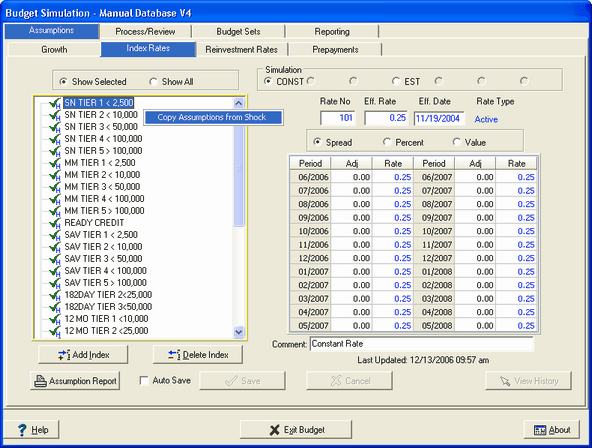
After selecting the Copy Assumptions from Shock function, the following screen is displayed:
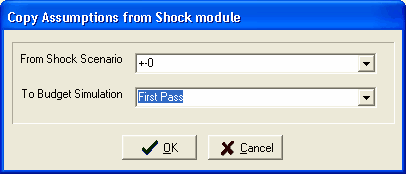
From Shock Scenario - Select the shock scenario you wish to copy.
To Budget Simulation - Select the budget simulation you wish to copy to.
The functionality between the Budget assumption tabs will be the same with the exception of the Prepayment assumptions. Investment prepayment assumptions for the budget side are established from the Security import. Therefore, during the assumption copy for prepayments, any investment accounts are skipped.
To continue setting your Budget assumptions go to the appropriate Budget chapters for details.