 Main Menu | Budgeting | Assumptions
When entering the Budgeting module, the display defaults to the Assumptions tab and the Growth tab.
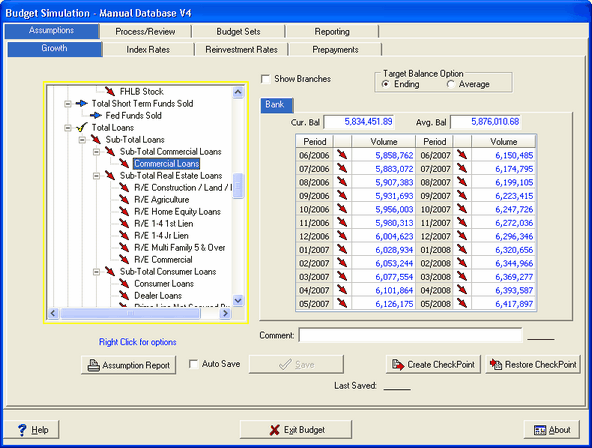
Four sets of assumptions, provided by the user, are needed in the Budgeting module.
Growth
Under the Growth tab, also referred to as Target Balance Assumptions (targeted growth), assumptions are made on the future structure of the institution's balance sheet. You can target ending balances as well as average balances.

Index Rates
Under the Index Rates tab, assumptions are made as to what rates a particular index changes to in a specific budget simulation. Rates are anticipations in timeframes of the rate for the simulation being modeled. Unlike the Index Rates tab in the Advanced Income Shock and Advanced EVE, you can set index rate assumptions by period within each budget simulation you have created.
Reinvestment
Under the Reinvestment tab, the pricing assumptions are made for new and replacement items. Those are the volumes the system generates automatically to replace runoff on existing items and to reach the target volumes as specified by the user. Unlike the Reinvestment Rates tab in the Advanced Income Shock and Advanced EVE, you can set reinvestment rate assumptions by period within each budget simulation you have created.
PrePayments
In the Prepayment tab, predictions are made on the annual percentage rate of prepayments. These assumptions can be set by period within each budget simulation you have created.