Main Menu | Param. Setup | User Setup
This tab is used to set up user's who will be accessing the IRR-Solutions® II software. The User Setup screen is displayed below.
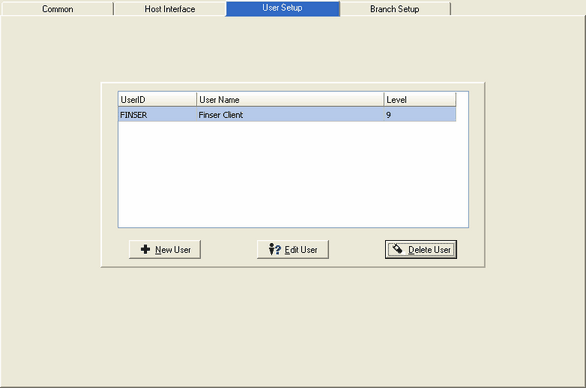
Add a new User
To add a new user, press the New User button and the following screen will be displayed:
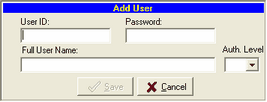
User ID - Enter a User ID. This is the ID which will be used to sign on to the IRR-Solutions® II software.
Password - Enter the password for the User ID above. The User ID and Password are used to sign on to the IRR-Solutions® II software.
Full User Name - Enter the full name of the user you are setting up.
Auth. Level - Enter the authority level for the user. Valid level is 9. 9 being the highest level with the authority to access all areas of the software.
Edit an Existing User
Select the Edit User button to change an existing user. The following screen will be displayed:
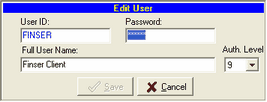
User ID - You can change the User ID. This is the ID which will be used to sign on to the IRR-Solutions® II software.
Password - You can change the password for the User ID above. The User ID and Password are used to sign on to the IRR-Solutions® II software.
Full User Name - Enter the full name of the user you have changed.
Auth. Level - Enter the authority level for the user. Valid level is 9. 9 being the highest level with the authority to access all areas of the software.
Delete an Existing User
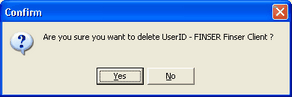
Press the Delete User button to delete an existing user. The system will display a confirmation message dialog box giving you another chance to change your mind. This screen is displayed below: