Main Menu | Reporting | My Reports (Misc group)
or
Main Menu | Reporting | My Reports (select a RG report) | Report tab (right click & select "Security Inventory Listing)
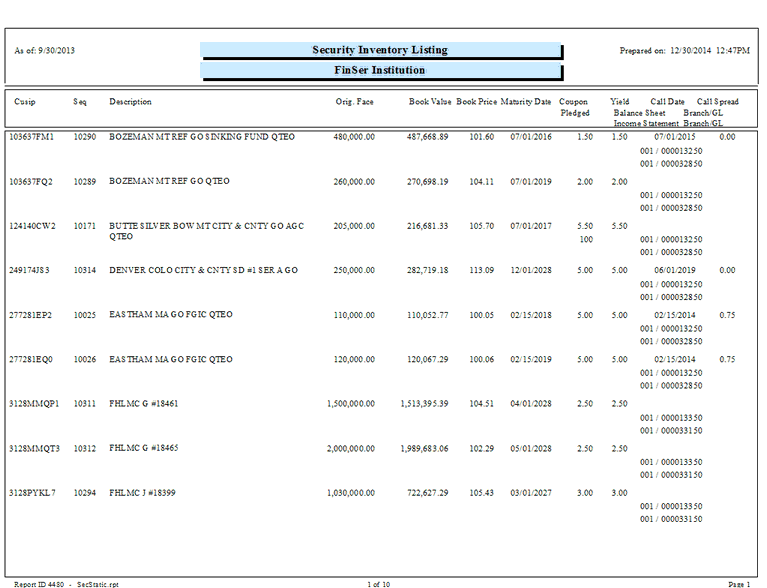
The Security Inventory Listing report will show all securities entered into the Data Capture/Security Maintenance tab. The report is printed in Cusip order, listing detail data per security.
This report can be used to quickly identify which callable securities do not have a call spread assigned. Remember, if you do not enter a call spread on a callable security, the security will be called without the addition of a call spread, i.e. the call spread used will be zero.