The Process/Review tab displays the data last processed for the ratios. The Liquidity and Dependency ratios show the current month followed by any historical data on file. The Sources and Uses ratio will display the projected periods.
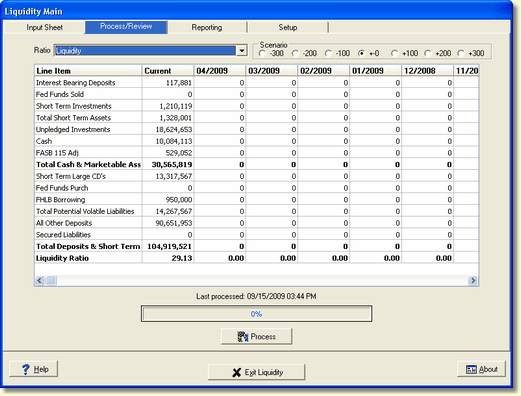
Ratio - The Ratio drop down box displays all the available ratios.
Scenario - The Scenario selection only refers to the Sources and Uses ratio. All information displayed is based upon the currently selected scenario in the radio box. To switch the view, simply select a different scenario. The default is the no change scenario.
Process - The process button will process all available ratios and save the calculated results without the need to select a specific ratio in the drop down box.
Data Grid - In the screen above, the Liquidity and Dependency ratios display the current data in the left column, with the historical months to the right, starting with the most current.