 Main Menu | Budgeting | Process/Review
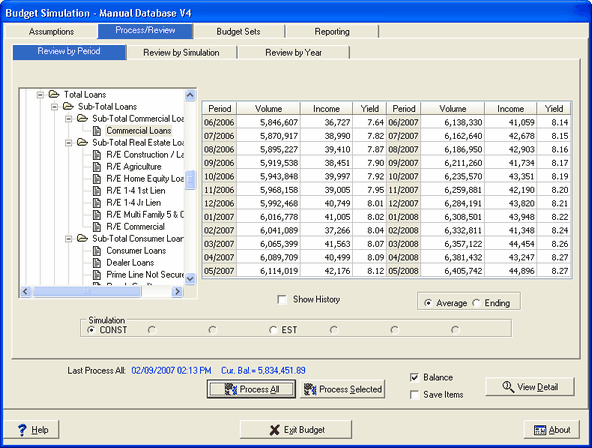
The Process/Review screen allows you to display the results of your assumptions. No assumptions can be changed in this area, it is only a results tab. This tab is very similar to the Advanced Income Shock Process/Review tab except the results shown in the Budgeting module is for the budget simulation and not the shock scenarios.
When you access the Process/Review tab, the following screen is displayed:
Section Functionality
Processing
The Process / Review tab provides the means to process the complete chart of accounts or just selected sections. Processing just selected sections of the chart of accounts can be used when assumptions for only a specific section were changed. This saves time in processing the complete chart of accounts. Results are always summed up through the complete chart of accounts to encompass any changes.
Review
Results from your modeling efforts are displayed in three different views. Review By Period shows the volume, income, and yield for the currently selected account over all projection periods, Review By Simulation displays the resulting data compared in two different budget simulations, and Review By Year shows two options which summarizes the data within each simulation. This provides the means to compare the results across the modeled simulations effectively. For sections of the chart of accounts that have application detail items associated with them, such as Loans, CD, Investments, etc., an extensive detail review section is also available.
All the processing functions are accessed from the buttons on the Process / Review screen.