 Main Menu | Advanced Income Shock | Back Testing | Historical Assumptions
The Historical Assumptions tab displays the assumptions placed on the default Back Test set at the time the set was created and saved. Assumption tabs show Index Rates, Reinvestment Rates, and Prepayments. All data displayed is read-only.
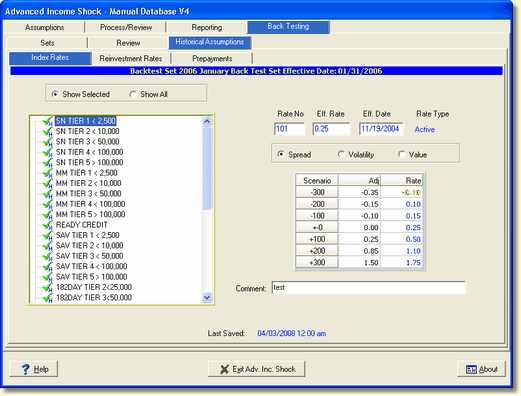
Index Rates
Show Selected - This radio button displays all indices from the created Back Testing set and manually entered indices for active items only or used in the model as an assumption basis.
Show All - Selecting this radio button displays all indices from the created Back Testing set and manually entered indices for active and inactive items (closed, charged off, etc.).
Reinvestments and Prepayments
By Branch - If your software is configured to support branch operation, the branches can be displayed in the Reinvestment Rates and Prepayments tabs by checking the By Branch box.
Find Account By Description
See Review for description of this feature.