 Main Menu | Param. Setup | Host Interface | Eliminations
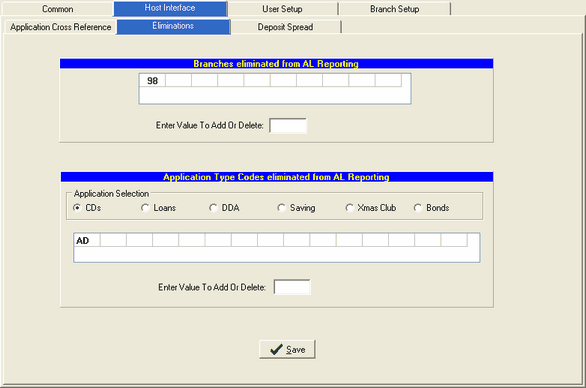
Use this tab if you want to eliminate specific account types, service charge codes, or bond categories from the A/L system. You can also use this tab to eliminate a particular branch from appearing on the A/L reports. The Eliminations screen is displayed below:
Eliminate a Branch
The upper portion of the Eliminations screen displays the branch elimination area.
Enter Value To Add Or Delete - Enter the branch number you wish to eliminate from A/L reporting. If you wish to remove an eliminated branch, simply enter the branch number and it disappears from the grid above.
Eliminate an Application Type
Application Selection - Select the application that applies to the type you wish to eliminate by clicking on one of the radio buttons. The applications are listed below showing what code you will use as your elimination type code.
CDs -use type codes
Loans -use type codes
DDA -use service charge codes
Savings -use service charge codes
Xmas -use service charge codes
Bonds -use category codes
Enter Value To Add Or Delete - Enter the type code you wish to eliminate from A/L reporting. If you wish to remove an eliminated type code, simply enter the code and it disappears from the grid above.