Main Menu | Param. Setup | Host Interface | Deposit Spread | Print Setup
or
 Main Menu | Reporting | My Reports (Parameter Group)
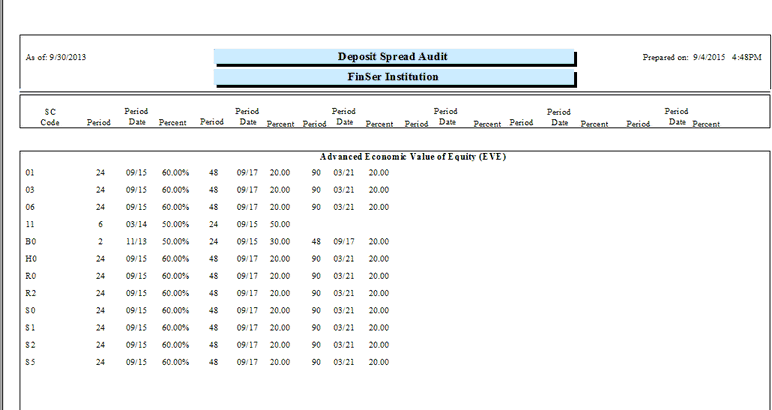
Access to the Deposit Spread Audit report is made by pressing the Print Setup button at the bottom of the screen.
The Deposit Spread Audit report will list all host service charge codes and the period month and date of spreads entered into the Deposit Spread tab. It is sorted by 3 categories: Advanced EVE, Fixed, and Variable.