Under certain, however rare, circumstances, it may even be appropriate to place specific assumption on individual items such as a particular Loan or CD. This would normally only be justified if the volume of the item is significant enough to impact the overall outcome of the results.
The By Item interface can be accessed from an application file (Loans, DDA, CDs) account. To enable the By Item interface, select the check box. The By Item interface is only available at the Bank level.
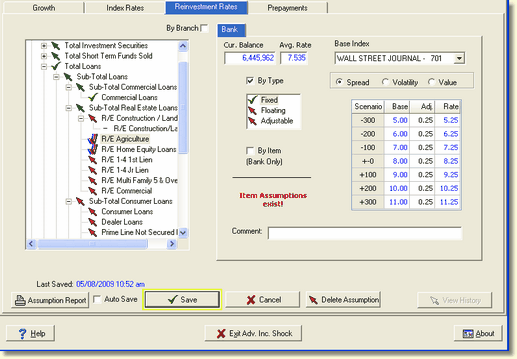
This closes the tree view and opens the item display in its place, which provides a listing of items by Branch and Item Number (Account number).
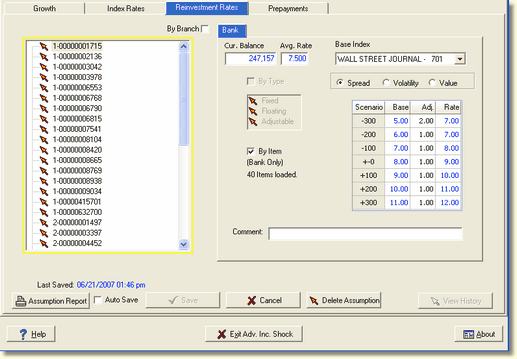
Locate the appropriate item by scrolling through the items, select it by clicking the item in the listing, and make the assumption assignment the same way as is done at the account or type level as seen in the example above.
Select the Save button after entering the assumptions for each item before proceeding to the next item. To return to the chart of accounts display, uncheck the By Item check box.

Delete Assumption - Deleting an item level assumption can only be done at the bank level.