In this view, the resulting data can be displayed and compared in two different budget simulations. This allows for easy comparison of the impact in the 2 selected simulations.
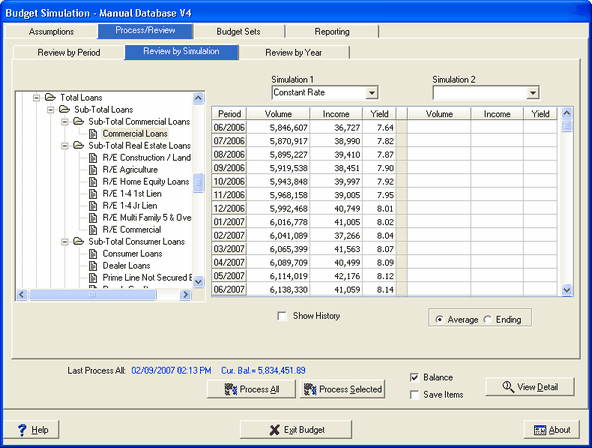
Simulation - You can compare two budget simulations by clicking on the drop down boxes.
Volume - This column contains the volumes left after prepayments have been subtracted and the addition of reinvestment volumes for each period.
Income - The income shown on this screen is the combined income from the current items on the book as well as from the reinvestment generated to reach the target volumes set in the growth screen. To display the income at a more detailed level, select an individual account and select the View Detail button.
Yield - This is the yield derived from the existing balances, prepayments plus the reinvestment balances.
Show History - When this box is checked, the first period shows the history at the beginning of the previous fiscal year. The historical data will be displayed in a blue font.
Average/Ending - Volumes can be displayed in average or ending balances.