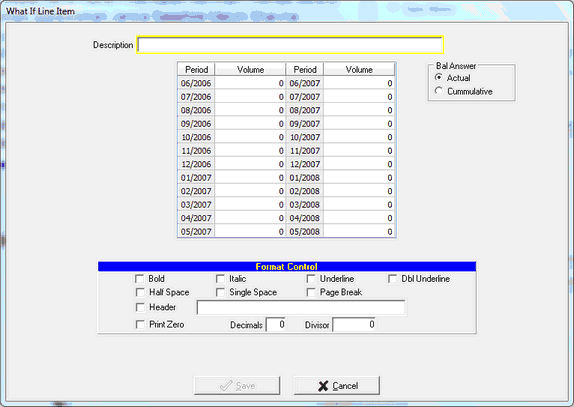
Calculation changes and editing of Line Items within a ratio can be performed on a selected ratio. What If line items can be added to Sources & Uses ratios where projected data is used (not Liquidity or Dependency). What If Line Items will appear in red (on screen and on reports), and are used to perform modeling of various conditions for stress testing. Given the complexities of calculations and development of customized line items, it is recommended to contact FinSer Support for assistance.
ADD LINE ITEM
Select the ratio you desire to modify and click Add Line Item
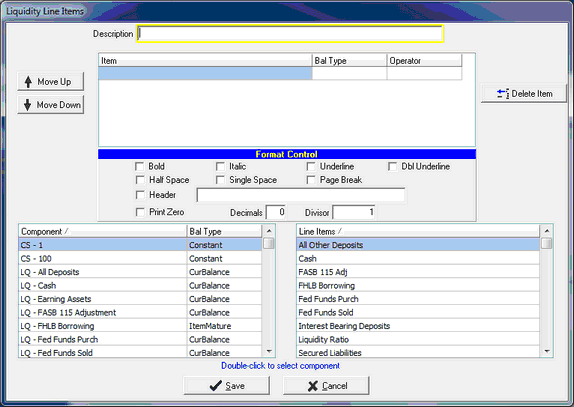
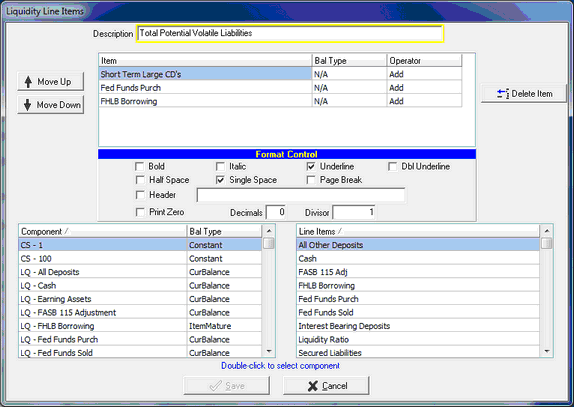
Description: The description entered will be the line description shown on the report
Item: Double click on an existing Component or Line Item at the bottom of the screen to enter a line item entry to define the line item's data or calculation. A single entry can be used, or multiple entries can be combined into a calculation
Balance Type: This is automatically included with the selection of the component, if applicable
Operator: Used for the development of the calculation. Selectable options are Add, Subtract, Multiply, and Divide
Format Controls: Format controls control the look of the ratio on the associated report. Options include:
Bold - Increases the font width on the line item and its results.
| Italic - Slants the font any line item and its results. |
| Underline - Placing an underline on a line item will position the underline above the line you have selected. |
| Dbl Underline - Placing an double underline on a line item will position the double underline below the line you have selected. |
| Half Space - Produces half line spacing for the line item on the resulting report |
| Single Space - Produces single line spacing for the line item on the resulting report |
| Page Break - To start a new page in the report, the page break option will break after the selected line item. |
Header - Allows the entry of a header before the line item
Print Zero - If the result of the line item is zero, the number 0 is printed rather than a dash
Decimals - Controls the number of decimal places displayed for the results
Divisor - Will divide the line item result by the entered number
Move Up / Move Down: Allows the user to control the position of the entered line item components by moving them up or down in the calculation
Delete Item: Select the line item component and click Delete Item to delete it from the definition
EDIT LINE ITEM
Selecting a line item and clicking the Edit Line Item button opens up the existing line item configuration and allows changes/additions/deletions to the existing component(s)
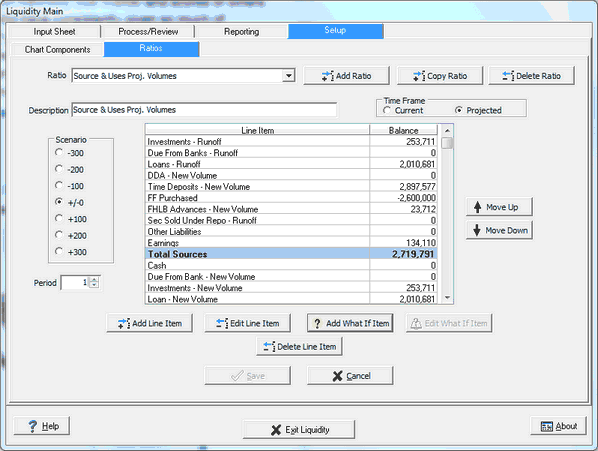
ADD/EDIT WHAT IF ITEM Available for Projected Time Frame Ratios. Allows the user to configure projected results which are not in the model from Advanced Income Shock. Designed for modeling and stress testing (what if deposits are lost, what if a line of credit is increased/decreased) Results and line item description will print in red on the report to highlight the numbers are modeling and not actual model projections.
Click on the Add What If Item button (or Edit What If Item to edit an existing What If line item)
The entry screen allows the user to put in either actual or cumulative projected balances. The same Format Controls are available as for regular Line Items